Presentation Options (iOS)
Learn the three ways to present Stash Pay in your iOS games - system browser, Safari View Controller, or fully integrated Stash Dialog. Understand the recommended approaches for different regions.
You can present Stash Pay in your iOS games in three ways: open the checkout in the system browser, use Safari View Controller as an in-game browser overlay, or fully integrate with the Stash Dialog from the Stash SDK.
As of Q3 2025, use Safari View Controller for users in the United States and a standard browser linkout for other regions.
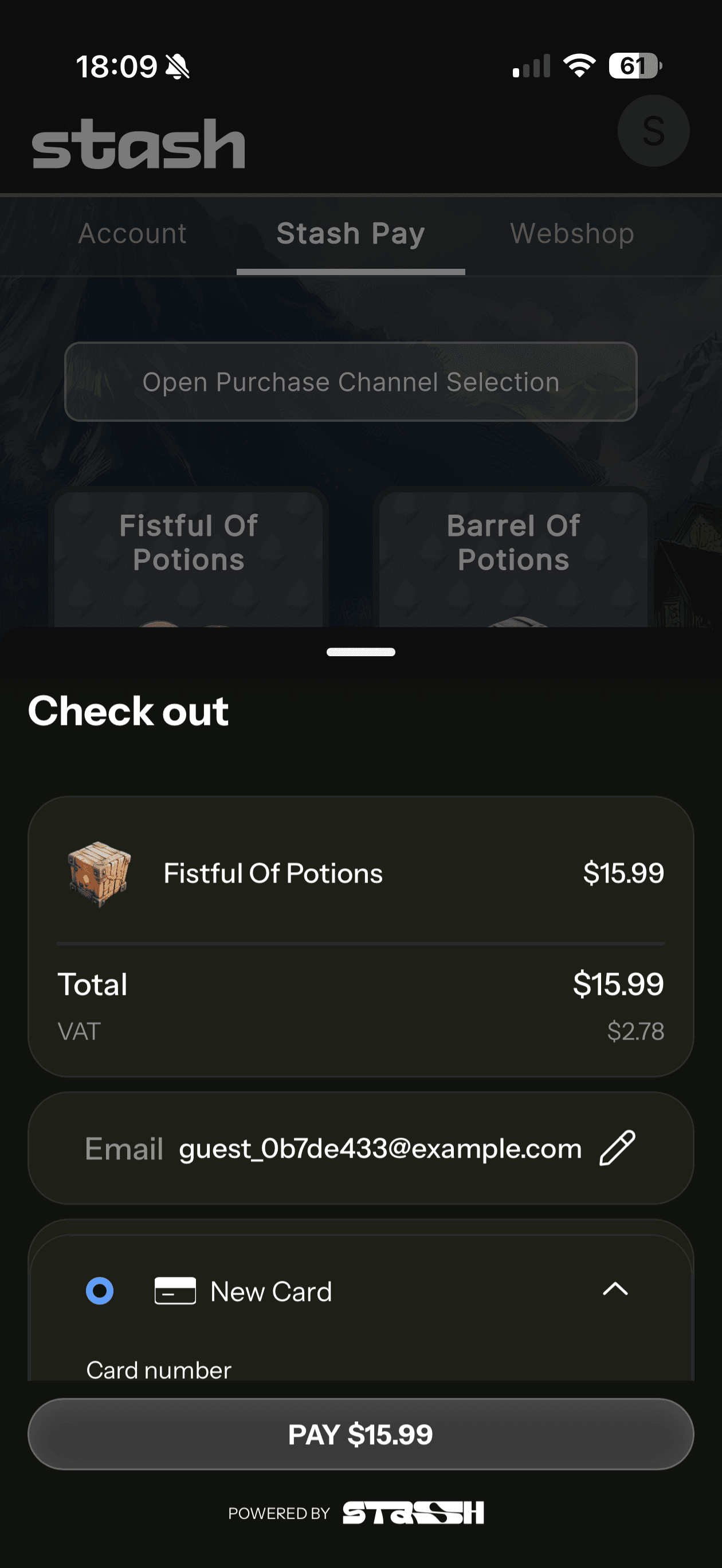
Safari View Controller
Use the native iOS SFSafariViewController to present Stash Pay in a popup overlay. Players stay in the game while the payment process runs in an isolated browser environment.
This option ensures compliance with App Store rules. The Stash SDK supports and wraps this integration.

Stash Pay Dialog
You can use Stash Pay Dialog as a fully integrated replacement for Apple In-App Purchase (IAP).
It runs in a native WKWebView and provides direct callbacks to your game for successful or failed purchases. The dialog matches your game's style.
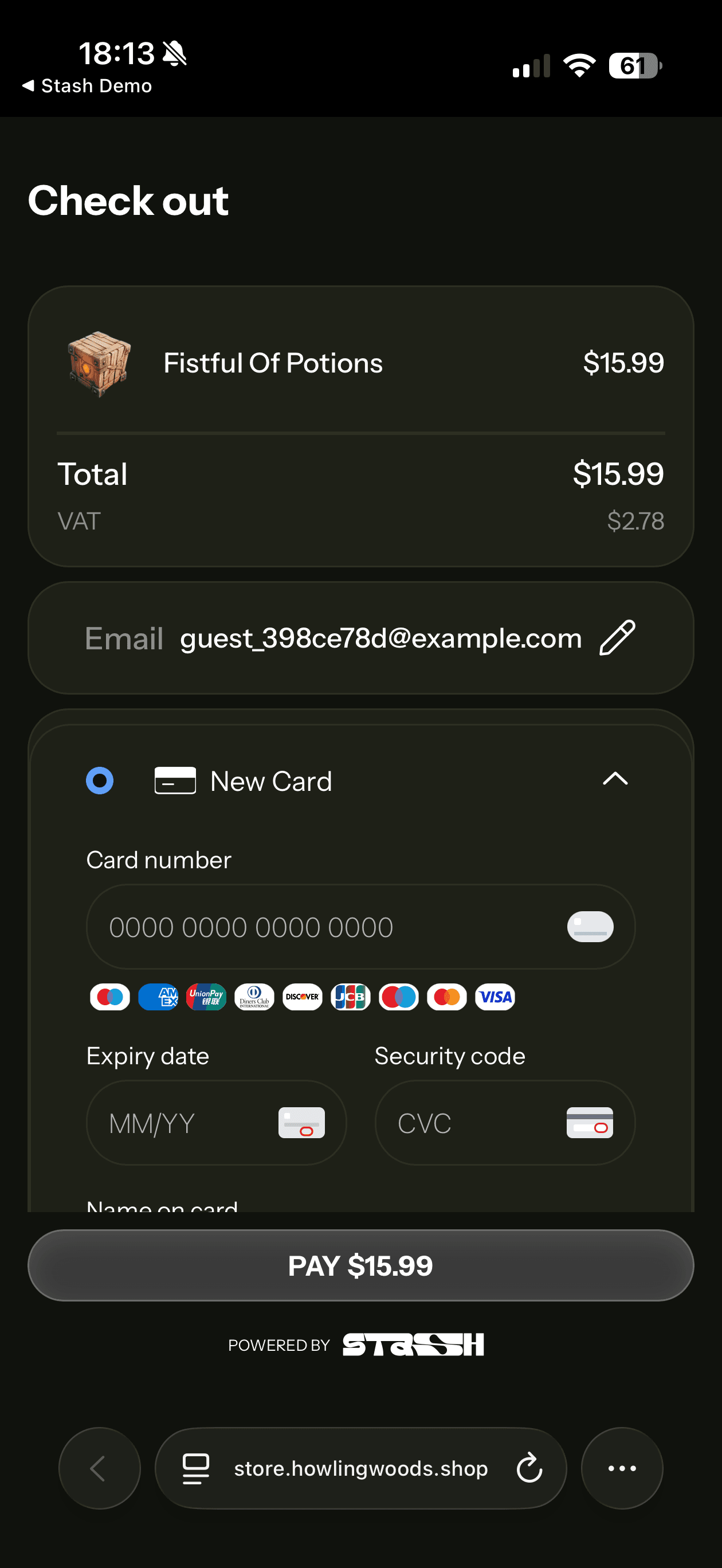
Web browser
When the player requests a purchase, the game client opens the default system browser with a Stash Pay checkout page.
After the player completes the purchase, the game client returns the player to the game through a deep link. This option does not require an SDK. The browser handles checkout before gameplay resumes.
Choosing the Right Flow
Selecting the appropriate presentation method depends on your integration requirements, compliance needs, and user experience goals.
Decision Guide
| Requirement | Recommended Flow | Why |
|---|---|---|
| Compliance in United States | Safari View Controller | Meets Apple's external payment requirements while keeping users in-app |
| Compliance outside United States | Web Browser | Simple, compliant solution that works globally |
| Native callbacks needed | Stash Pay Dialog | Provides direct success/failure callbacks to your game code |
| Deep link handling only | Safari View Controller or Web Browser | Both support deep link returns after purchase completion |
| Maximum customization | Stash Pay Dialog | Full control over appearance and styling to match your game |
| Simplest integration | Web Browser | No SDK required, works with basic deep link setup |
| Best user experience | Safari View Controller or Stash Pay Dialog | Keeps users in-app with seamless transitions |
Recommendation: For most games, Safari View Controller provides the best balance of compliance, user experience, and simplicity. Use Stash Pay Dialog when you need native callbacks or extensive customization.
How is this guide?