Native Apps Integration
Integrate Stash Pay in native iOS and Android apps and custom game engines using the Stash Native SDK.
Requirements
- Android API 21+ (target/compile SDK 34)
- iOS 13.0+
Install the SDK
Android (AAR)
- Download the latest AAR from stash-native releases.
- Add it to your Android project (for example in
libs/). - Reference it in your app module:
dependencies {
  implementation files('libs/StashNative-<tag>.aar')
  implementation 'androidx.appcompat:appcompat:1.6.1'
  // Optional, recommended for Custom Tabs:
  // implementation 'androidx.browser:browser:1.7.0'
}
iOS (XCFramework or SPM)
Use one of the following:
- XCFramework: download
StashNative.xcframework.zipfrom releases, add it to your project, then set it to Embed & Sign. - Swift Package Manager: add
https://github.com/stashgg/stash-native.gitin Xcode (File -> Add Packages...).
Presentation methods
The SDK lets you present Stash Pay checkout links using three modes: openCard, openModal, and openBrowser.
Just provide your generated checkout URL, and you can also pass an optional config object to customize the presentation and subscribe to callbacks.
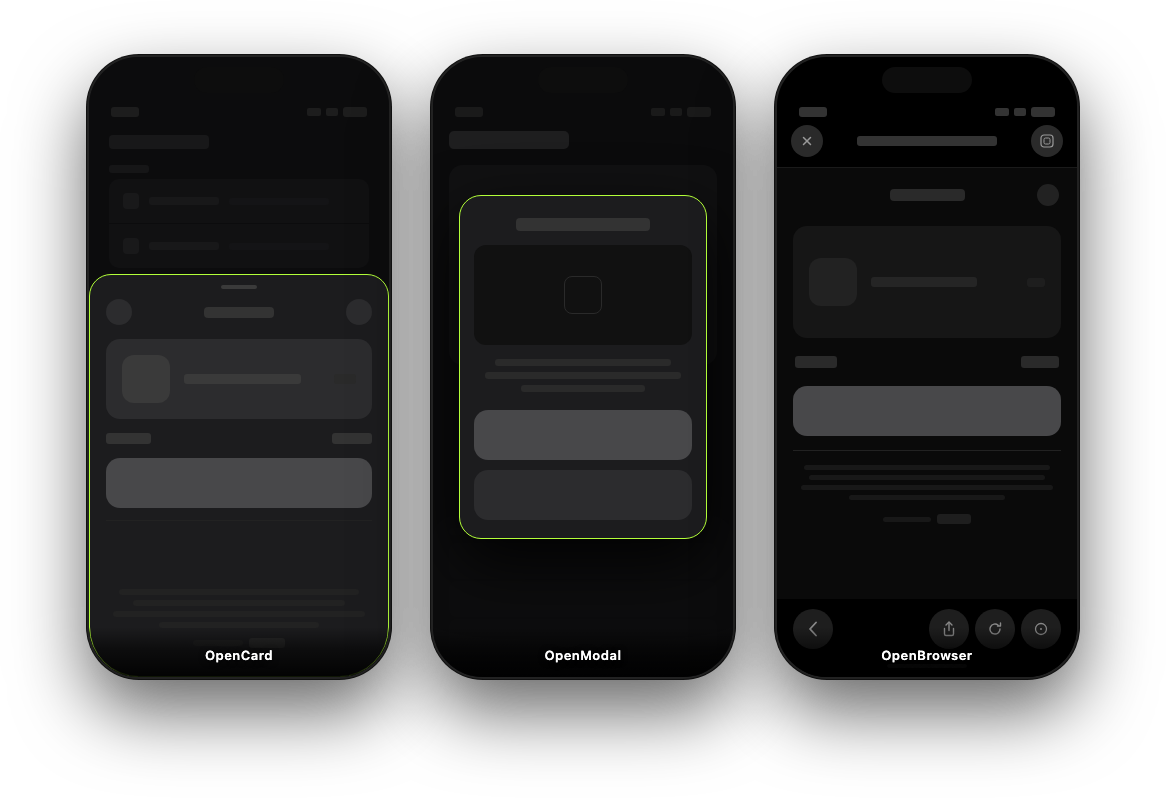
openCard (Drawer/sheet)
Use this when you want an in-app checkout view with callbacks for success/failure/dismiss.
StashNativeCard.CardConfig config = new StashNativeCard.CardConfig(); // or null
StashNativeCard.getInstance().openCard(checkoutUrl, config);
openModal (Centered modal)
Use this when you want a centered dialog style with the same callback model as openCard.
StashNativeCard.ModalConfig config = new StashNativeCard.ModalConfig(); // or null
StashNativeCard.getInstance().openModal(checkoutUrl, config);
openBrowser (Safari View Controller / Chrome Custom Tabs)
Use this when you prefer a browser-based checkout (SFSafariViewController on iOS, Chrome Custom Tabs/system browser on Android).
StashNativeCard.getInstance().openBrowser(checkoutUrl);Callbacks and verification
openCard and openModal use the same callback/delegate model. Typical events:
- Payment success
- Payment failure
- Dialog dismissed
- External payment started
- Opt-in response
- Page loaded
- Network error
Always verify purchases on your backend before granting items. Client callbacks should drive UX, not final entitlement decisions.
Landscape and orientation notes
Use forcePortrait in card config if your host app is landscape-locked and checkout should appear in portrait.
- On Android, this opens a portrait checkout activity in the same app process.
- On iOS, the SDK unlocks portrait for its own checkout/browser windows.
For Android landscape projects, an optional backdrop API (setBackdropBitmap / setBackdropBytes) can reduce visual artifacts during rotation.
Android keep-alive (optional)
For browser-based flows on memory-constrained devices, you can enable keep-alive:
StashNativeCard.getInstance().setKeepAliveEnabled(true);
StashNativeCard.KeepAliveConfig config = new StashNativeCard.KeepAliveConfig();
config.notificationTitle = "Payment in progress";
config.notificationText = "Tap to return to the app";
config.notificationIconResId = 0; // 0 = SDK default icon
StashNativeCard.getInstance().setKeepAliveConfig(config);
This starts a short foreground service during external browser checkout. Review Play Console declarations if you enable this mode.
Detailed references
- Full SDK docs and examples: stash-native README
- Platform and policy notes: stash-native COMPATIBILITY.md
- Stash Pay backend integration flow: /guides/stash-pay/integration
How is this guide?